

Zendesk Export Check Released
Check your Zendesk export for missing, partial, or unreadable data
Choose your Zendesk export. The check shows which record types and fields it contains, what its format leaves out by design, and where the file looks cut short.
Your export stays in this browser tab. It’s never uploaded, stored or sent anywhere, and the check never contacts Zendesk.
How it decides
Your export
Zendesk documents what each export format includes. The check uses those rules.
Check your export
Fix these to check:
1. Your export
The file or zip from Zendesk’s export email: JSON, CSV or XML.
2. Add what you expect (optional)
Use the range you exported, if you know it.
The start date is after the end date.
Leave it empty if you don’t know.
Enter a whole number, or leave it empty.
Choose your Zendesk export to check.
This browser can’t run the check. It needs background workers. Try again in a current version of your browser.
What it checks
- Which record types and fields your export contains, with counts
- What your export’s format leaves out, as Zendesk documents it
- Tickets without comments, attachment links, unreadable parts, and tickets outside the dates you expect
What it won’t do
- It checks the file, not your Zendesk account, so it can’t prove the export matches what’s in Zendesk.
- It doesn’t connect to Zendesk or download attachments.
- It doesn’t repair or convert your export.
- It doesn’t show ticket text, subjects or who’s involved.
- It covers Zendesk exports only.
Crowdfile is not affiliated with Zendesk.
What each export format leaves out
Zendesk documents what each export format includes. The check uses those rules.
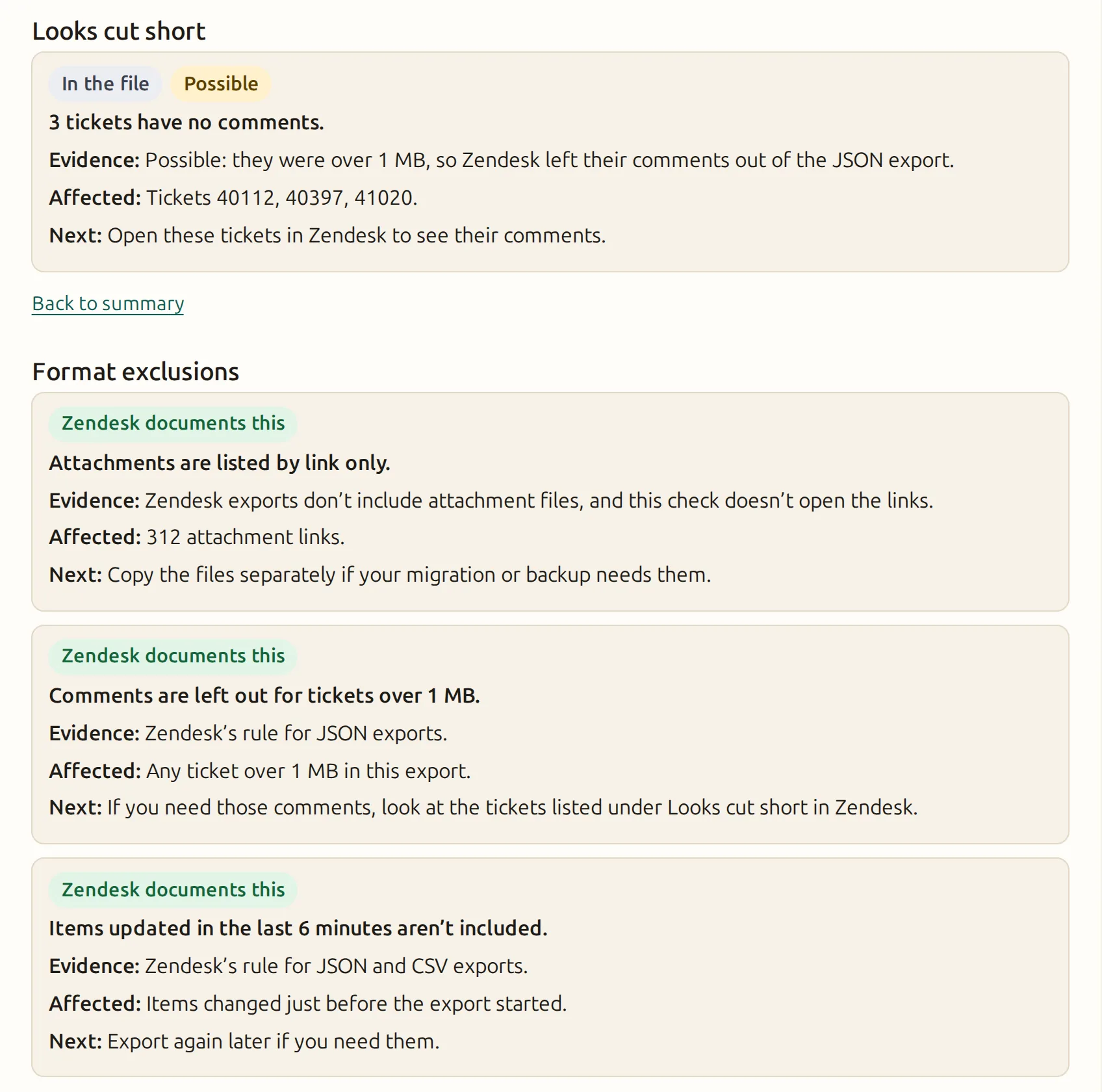
- CSV: no comments, ticket descriptions or deleted tickets, and no multi-line, multi-select or custom date fields. Tickets over 1 MB aren’t included at all. Items updated in the 6 minutes before the export aren’t included.
- JSON: comments are left out for any ticket over 1 MB, and items updated in the 6 minutes before the export aren’t included. Organization JSON exports can include deleted organizations.
- XML (full): no custom ticket fields, metric sets or comment details.
- XML (users): no custom user fields.
- Attachments: Zendesk exports list attachments by link. They don’t include the files.
If you need comments, a JSON export includes them, except for tickets over 1 MB.
Based on Zendesk’s help article, read 2026-11-03.
What happens to your export
- Your export is read by your browser, in this tab, in a background worker. It’s never uploaded, stored or sent anywhere.
- The check never contacts Zendesk and never opens the attachment links in your export.
- It shows counts, field names and ticket IDs. It never shows ticket text, subjects or who’s involved, and it doesn’t list user or organization IDs.
- The report you download has the same limits, so you can share it with a migration vendor.
- When this page counts visits, it sends only that the page was viewed and whether a check started, finished or was refused, plus that a report was downloaded. It never sends counts, formats, IDs or findings.
Questions
- Does it prove my export has everything from Zendesk?
- No. It checks the file against what Zendesk says each format contains, and against itself. It can’t see your Zendesk account.
- Why do some tickets have no comments?
- In JSON exports, Zendesk leaves out the comments of any ticket over 1 MB. The check lists tickets with no comments so you can look at them in Zendesk.
- Does a Zendesk export include attachments?
- Zendesk exports list attachments by link, not as files. The check counts the links and never opens them.
- Why does my CSV export have no comments?
- Zendesk’s CSV exports don’t include comments. Use a JSON export if you need them.
- Can I check an export from a sandbox?
- Zendesk doesn’t offer JSON or CSV exports in sandbox accounts, so you’ll need an export from your main account.
- What’s in the report?
- Counts per record type, field names, format limits, findings and ticket IDs. No ticket text, subjects, names or email addresses.
Check your Zendesk export for missing, partial, or unreadable data
Your export stays in this browser tab.
Choose your export